SSM项目JNDI配置
创建context.xml(src/main/webapp/META-INF文件夹下)
xml<?xml version="1.0" encoding="UTF-8"?> <Context> <Resource name="jdbc/mysql" auth="Container" type="javax.sql.DataSource" maxActive="100" maxIdle="30" maxWait="10000" username="root" password="root" driverClassName="com.mysql.jdbc.Driver" url="jdbc:mysql://localhost:3306/dbname" /> </Context>修改applicationContext.xml(src/main/resources文件夹下)
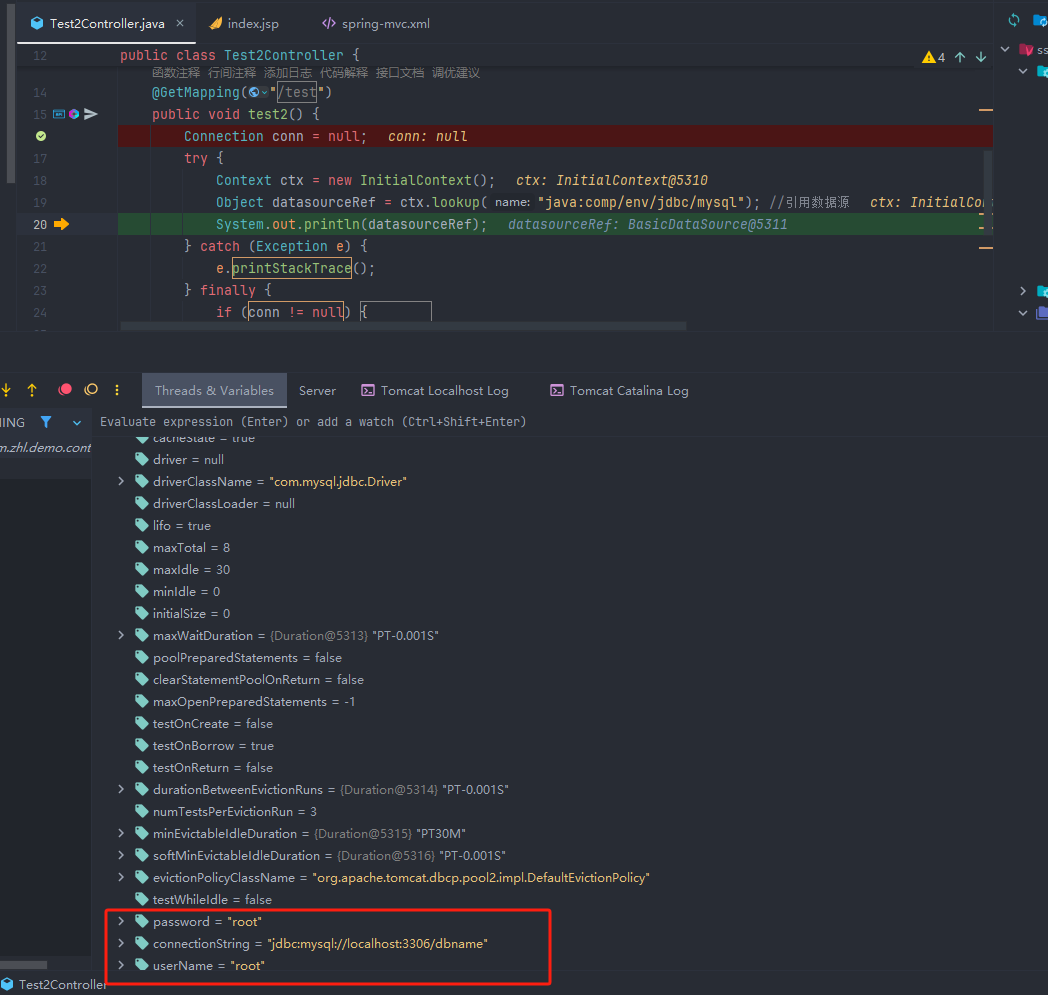
xml<?xml version="1.0" encoding="UTF-8"?> <beans xmlns="http://www.springframework.org/schema/beans" xmlns:tx="http://www.springframework.org/schema/tx" xmlns:aop="http://www.springframework.org/schema/aop" xmlns:xsi="http://www.w3.org/2001/XMLSchema-instance" xmlns:jee="http://www.springframework.org/schema/jee" xsi:schemaLocation="http://www.springframework.org/schema/beans http://www.springframework.org/schema/beans/spring-beans.xsd http://www.springframework.org/schema/tx http://www.springframework.org/schema/tx/spring-tx.xsd http://www.springframework.org/schema/aop http://www.springframework.org/schema/aop/spring-aop.xsd http://www.springframework.org/schema/jee http://www.springframework.org/schema/jee/spring-jee.xsd"> <!--配置数据源 注释该段,使用JNDI配置数据源 --> <!-- <bean id="dataSource" class="org.apache.commons.dbcp2.BasicDataSource">--> <!-- <property name="driverClassName" value="com.mysql.cj.jdbc.Driver"/>--> <!-- <property name="url" value="jdbc:mysql://localhost:3306/test"/>--> <!-- <property name="username" value="root"/>--> <!-- <property name="password" value="root"/>--> <!-- </bean>--> <!-- JNDI配置数据源 jndi的name为java:comp/env/后拼上context.xml中数据源的name --> <jee:jndi-lookup id="dataSource" jndi-name="java:comp/env/jdbc/mysql"/> <!--事务管理--> <bean id="transactionManager" class="org.springframework.jdbc.datasource.DataSourceTransactionManager"> <property name="dataSource" ref="dataSource"/> </bean> <!--事务的配置--> <tx:advice id="txAdvice" transaction-manager="transactionManager"> <!--配置事务的属性--> <tx:attributes> <tx:method name="*" propagation="REQUIRED" isolation="DEFAULT"/> <!-- <tx:method name="update*" propagation="REQUIRED" isolation="DEFAULT"/> <tx:method name="select*" propagation="REQUIRED" isolation="DEFAULT"/> --> </tx:attributes> </tx:advice> </beans>编写测试接口,发现成功获取到了数据源信息
javapackage com.zhl.demo.controller; import com.mysql.jdbc.Connection; import org.springframework.stereotype.Controller; import org.springframework.web.bind.annotation.GetMapping; import javax.activation.DataSource; import javax.naming.Context; import javax.naming.InitialContext; @Controller public class Test2Controller { @GetMapping("/test") public void test2() { Connection conn = null; try { Context ctx = new InitialContext(); Object datasourceRef = ctx.lookup("java:comp/env/jdbc/mysql"); //引用数据源 System.out.println(datasourceRef); } catch (Exception e) { e.printStackTrace(); } finally { if (conn != null) { try { conn.close(); } catch (Exception e) { } } } } }