Appearance
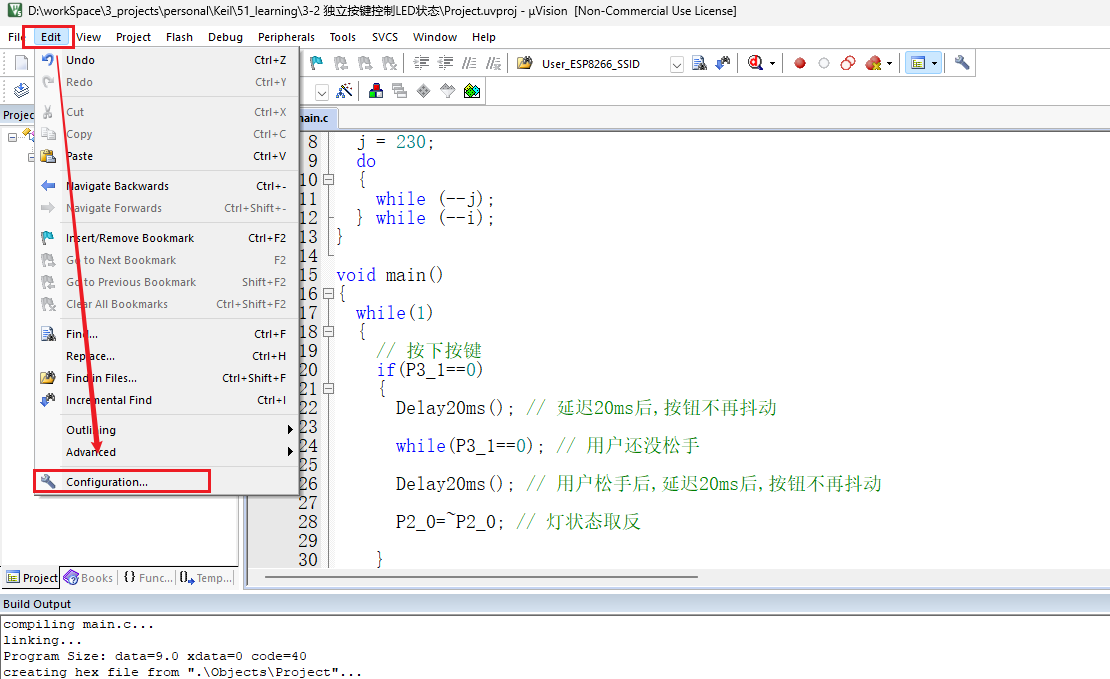
打开Keil5,点击菜单栏中的 Edit
选择 Configuration
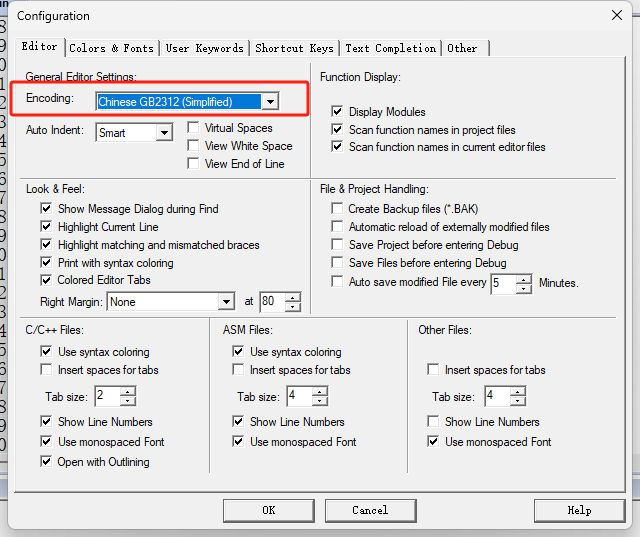
修改 Encoding 为 Chinese GB2312(Simplified)
点击 OK 保存设置